


ReelMe AI: Art Video Generator
3.911.00 Reviews
App Specs
- Version
- 4.3.0
- Updated On
- License
- Free
- Downloads
- 50,000+
- Developer
- SuperMinds
- Categories
- Art & Design
- Platform
- Android
Screenshots
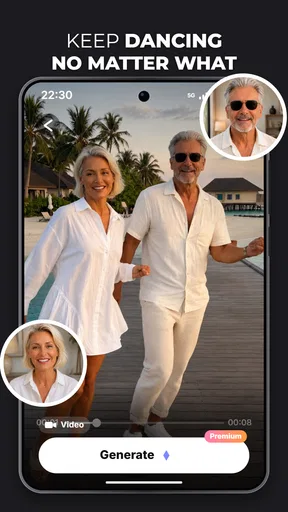
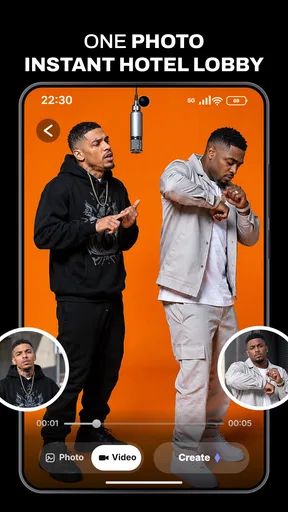
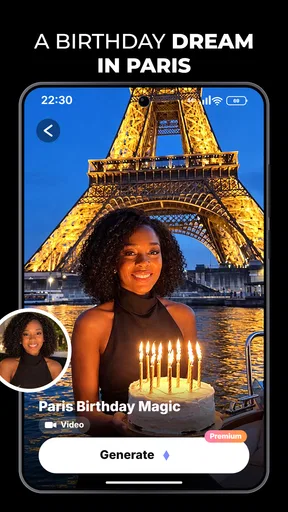

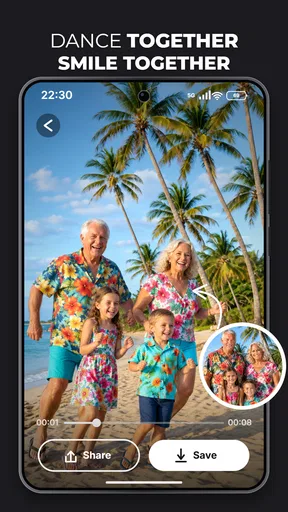
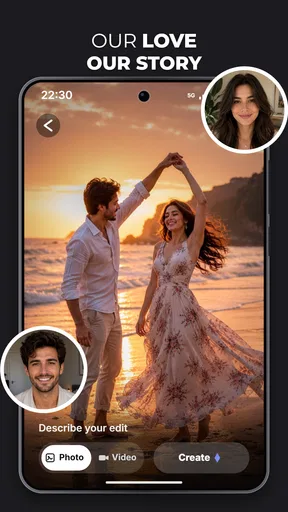
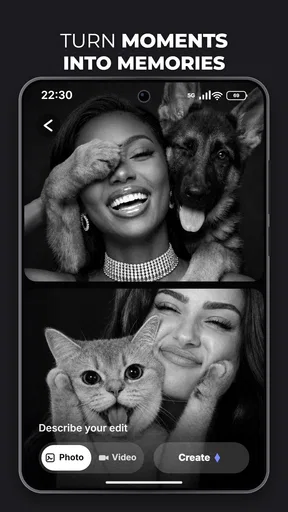
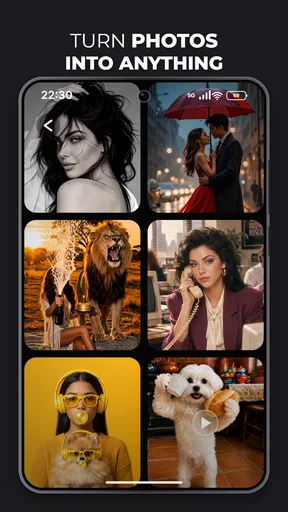
 Analysis by AppCompare
I judge an AI video app less by the promise of a quick result than by how well it fits the moment when I actually want to make something. ReelMe AI: Art Video Generator is aimed at turning an idea into a short, visually led video without making a phone user work through a traditional editing timeline. That is an appealing starting point for social posts, a small creative experiment, or a visual greeting. The catch is that AI generation is not the same as instant editing: the experience depends on having a clear prompt, a usable connection, and some patience when a result needs refining.
Making an idea work on a phone
As an art and design app from SuperMinds, ReelMe AI belongs to a different corner of mobile video creation than a conventional editor. A timeline app gives me direct control over clips, cuts, and timing; an AI generator is more about describing a direction and seeing how the tool interprets it. That can lower the barrier for someone who has a concept but not the skills or time to assemble a video by hand.
The useful mindset is to treat the first prompt as a draft, not a finished creative brief. I would describe the subject, the mood, and the visual style in plain language, then keep the request focused. A prompt trying to specify every detail at once can be harder to evaluate: if the result misses, it is less obvious which instruction caused the mismatch. Changing one element at a time makes the next attempt more informative.
This approach suits a quick social idea better than a tightly controlled production. For example, if I wanted a playful visual for a friend’s birthday, I could start with the person or theme and a clear mood, then decide whether the output feels personal enough to share. For a branded clip with exact colors, product details, or precise timing, I would rather use a manual editor or a design tool that exposes those controls. Generative convenience comes with less predictable control.
When a connection becomes part of the creative process
AI-driven creation naturally makes connectivity relevant. I would plan to use the app when the phone has a stable internet connection rather than assume that every stage will work while offline. A weak signal can interrupt a workflow at exactly the wrong time: after I have settled on an idea but before I can judge the visual result. If I am working on the move, I would draft the prompt in my notes first, then open the app when I have a dependable connection.
That small habit also improves the creative side. Writing the request outside the app gives me a moment to remove vague wording and decide what matters most. Instead of repeatedly tapping at a prompt while waiting on a connection, I can make one deliberate change and compare the outcome with the previous attempt. For a tool built around interpretation, a clearer brief is often more useful than simply trying again with nearly identical wording.
Connectivity can affect whether this feels like a spontaneous pocket tool or something better suited to a planned session. I would not choose it for a live event where I must produce a dependable clip immediately and cannot tolerate delays. It is more comfortable for casual projects where I can wait, assess the result, and revise the idea if needed. That distinction is important: a generator may save editing effort, but it does not remove the need to make creative decisions.
Worth Reading Before You Choose

Flipboard Shows What News Apps Must Do Beyond the Feed

Switching to Android Auto Means Rethinking Your Driving Routine

Google Calendar Makes a Crowded Week Easier to Manage

Ludo King Makes the Most of the Minutes Between Plans

Baby Panda World Brings Quick Play to Modern Phones, but Its Game Library Feels Busy

ESPN’s Live Game View Makes Following Close Games Easier
Small-screen creation and practical use cases
On a phone, the best use case is one where the visual concept matters more than frame-by-frame precision. A creator preparing a quick post, a student exploring an art direction, or someone making a simple themed clip may find the prompt-led approach less intimidating than a full editing suite. I would also use it as a sketching tool: generate a visual direction, decide what is working, and then take that idea into a more controlled editor if the project grows.
That handoff is a useful trade-off rather than a failure. ReelMe AI can help answer, “What might this look like?” A traditional mobile editor is better at answering, “Can I make this exact cut, with this exact timing?” If I need subtitles placed precisely, several clips arranged in a specific order, or a repeatable format for a series, direct editing offers more dependable control. The two approaches can complement each other, but they are not interchangeable.
For a realistic everyday scenario, imagine I have a few spare minutes before sharing a casual update. I can decide on one clear visual idea and prepare a concise description rather than opening a complex editing app and searching through controls. If the first result is close, the generator has helped me get past the blank-page problem. If it is off in a way that matters, I should not keep spending time on minor prompt variations when a manual edit would be quicker and more predictable.
The app is free to start, but in-app purchases range from $4.99 to $69.99 per item. I would check what an offered purchase covers before paying and consider how often I expect to generate videos. A one-off experiment and a regular creative habit justify very different spending decisions. The free entry point makes it easy to try the workflow, while the range of optional purchases means I would avoid assuming that every level of use will remain cost-free.
What to do when a generation disappoints
AI output can miss the intention even when the prompt sounds clear. My first response would be to diagnose the mismatch rather than immediately rewrite everything. If the subject is right but the mood is wrong, I would keep the subject wording and adjust the mood. If the overall idea is being interpreted too broadly, I would simplify the request and remove competing directions. This makes each retry a small experiment instead of a lottery.
There is also a sensible stopping point. When repeated attempts are not getting closer to the result I need, the cost is no longer just time; it is the possibility of paying for more use without a clear improvement. I would switch to a conventional editor for exact visual corrections, or choose a simpler concept that better fits generative output. That is especially true for content where factual accuracy, a particular person’s appearance, or precise product presentation matters.
If a request seems to stall, I would first check the connection and avoid sending the same action repeatedly. Then I would return to a shorter prompt and try again once the connection is steady. I would also keep a copy of any carefully written idea outside the app, so a disruption does not force me to recreate the wording from memory. These are ordinary precautions, but they make a network-sensitive creative session less frustrating.
Using it thoughtfully with mobile data
When I am away from Wi-Fi, I would be selective about when I start a generation and keep an eye on my phone’s data settings. The app’s creative promise does not make a mobile connection unlimited, and repeated attempts can be less sensible than refining the prompt before submitting it. For a project I care about, a stable connection and a little preparation are preferable to generating impulsively while travelling.
I would also think about the material I choose to turn into a video. A casual art prompt is different from a private image or sensitive personal subject. Before bringing anything personal into a creative app, I would consider whether I am comfortable using it for that purpose and review the app’s current privacy information and settings. That is a good habit for any connected AI service, not a claim about a particular policy.
ReelMe AI is rated for Everyone, which makes its audience broad, but that does not mean every generated result will be suitable for every context. I would preview a clip before sharing it, especially if the prompt involves a person, an inside joke, or a theme that could be interpreted in an unexpected way. A quick review is part of responsible creation, not an unnecessary extra step.
Who will get the most from it
The app has an average rating of 3.9 from around 130 ratings, with 11 written reviews, and has passed 50,000 installs. Those figures suggest that it has found an audience, but I would not treat popularity as proof that it fits my own workflow. Its current version is 4.3.0, and it runs on Android 7.0 or later, which gives it a relatively broad device starting point.
I would recommend trying it if you enjoy experimenting with visual ideas and can accept that the first output may need a better prompt—or may simply not be right. It is especially promising for someone who wants a low-friction starting point for short creative videos and does not need every detail under manual control. The more comfortable you are treating generation as a conversation with the tool, the more useful the process is likely to feel.
I would skip it, or at least keep expectations modest, if my main need were a professional editing workflow, exact brand consistency, or guaranteed results on a deadline. People who prefer to see every clip and transition before committing will probably be happier with a standard editor. Likewise, if I have unreliable connectivity and no chance to work somewhere steadier, I would choose a tool whose workflow I can depend on in that setting.
Choosing a workflow that fits the job
One useful way to decide whether to open the app is to separate the idea stage from the finishing stage. If I am unsure what visual direction suits a post, a prompt-based generator can help me explore possibilities without first building a sequence by hand. Once I know what I want, I can judge whether the generated result is good enough on its own or whether the project needs the exact trimming and arrangement a regular editor provides.
For a small shop owner, for instance, I would treat a generated clip as a mood-setting draft rather than assume it is ready to represent a product accurately. A simple seasonal theme may be suitable for experimentation; a shot where packaging, wording, or color must match reality is a better fit for controlled editing. The same distinction helps students: it can be useful for exploring an art concept, while a presentation with strict visual requirements calls for closer manual control.
A practical question before paying is whether I have a repeatable use for the app, not merely whether one result looks appealing. I would try a focused idea, note whether the outcome saves effort, and only then decide if a purchase makes sense for my habits. That keeps the decision tied to actual value rather than the excitement of a promising first experiment.
My connectivity verdict
ReelMe AI is most compelling as a connected idea generator, not as a replacement for every video tool on a phone. I like the prospect of turning a concise creative direction into something visual without first learning a complicated timeline, and I would use it to explore concepts or make casual clips. I would pair it with a stable connection, write prompts carefully, and switch to manual editing when precision becomes more important than speed.
That is the honest balance: it can make the start of a creative task feel easier, but the network, the quality of the prompt, and the app’s interpretation all shape the result. If you are happy to experiment and can work around those dependencies, it is worth trying at no upfront cost. If you need predictable output, offline certainty, or detailed editing control, a conventional editor is the safer choice.
Pros
- Quickly turns text prompts and images into short
- shareable videos.
- AI effects make it easy to create stylized clips without editing skills.
- Useful for social posts
- profile content
- and creative experiments.
- A simple workflow helps new users get started with little setup.
- Offers a convenient way to explore AI-generated visual ideas.
Cons
- Generated results may not closely match the prompt or reference image.
- Video styles and output quality can vary from one generation to another.
- Processing may take time
- especially when demand is high.
- Free use may be limited by credits
- watermarks
- or paid features.
- AI-generated content may require review before sharing publicly.
FAQs for ReelMe AI: Art Video Generator
What is ReelMe AI: Art Video Generator?
ReelMe AI: Art Video Generator is an app designed to turn creative ideas, photos, or other inputs into AI-generated visual content, including animated or stylized videos. Its appeal is the chance to create shareable results without needing traditional video-editing skills. Available tools and output styles can change between app versions, so check the current store listing to confirm which features are included.
How do I create a video with ReelMe AI?
The general process is to choose a creation tool or style, provide the requested photo, prompt, or other input, and let the app generate a result. You can then review the output and, where supported, save or share it. Generation steps, available templates, and editing options may vary by version. Follow any in-app guidance, and use images you have permission to upload.
Is ReelMe AI free to use?
The app may be available to download without an upfront payment, but that does not necessarily mean every feature is free. AI generations, premium styles, exports, or other tools may require a subscription, in-app purchase, or credits. Review the app’s pricing details before starting a trial or confirming a purchase, and check renewal terms and cancellation instructions in your app-store account.
What happens to the photos and prompts I upload?
AI generation may involve sending photos, prompts, or other content to the app’s services for processing. Before uploading personal or sensitive material, read ReelMe AI’s privacy policy and the permissions requested by the app. Pay particular attention to how content is stored, used, and deleted, and whether it may be processed by third-party providers. Avoid uploading images of others without their consent.
Can I share or use ReelMe AI videos anywhere?
You may be able to save generated videos to your device or share them through supported apps, but export options and quality can depend on the version or your plan. Before using a result commercially or posting it publicly, review ReelMe AI’s current terms and any relevant platform rules. Also consider whether the source images, likenesses, music, or other material are yours to use.


